For a much better and updated guide, download the attached “htm” file and open it in your browser
First step is to update your Nero to the last version of Nero 6 or Nero 7.2 and above (Note, nero seven 7.2.3.2b doesn’t work with bin/cue but newer versions do)
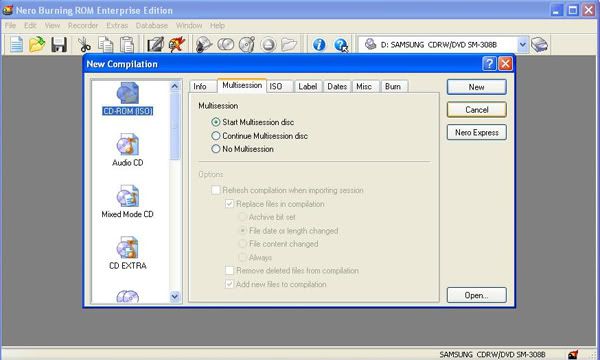
Click Cancel
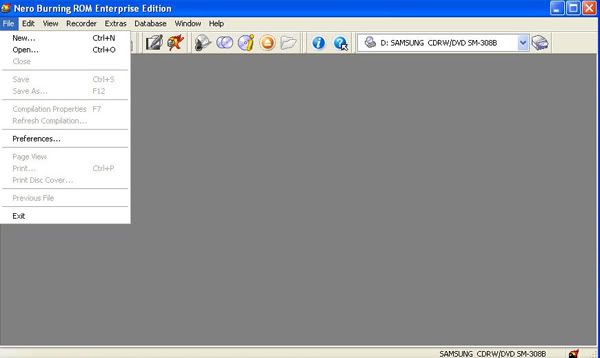
Now click the file tab then prefrences
Click the expert features tab then tick “Enable Disc-at-once CD Overburning” and change the time to 84 mins. Also tick “Enable generation of short lead out” if you have that option
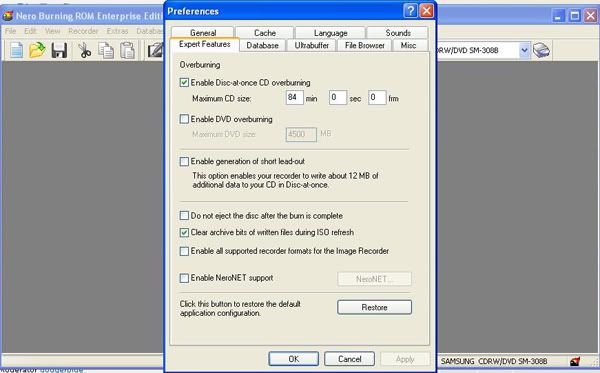
Click ok jobs done
Now onto burning bin/cue
Locate the folder where your downloaded KVCD is then right click with your mouse on the cue file and chose “Open With”
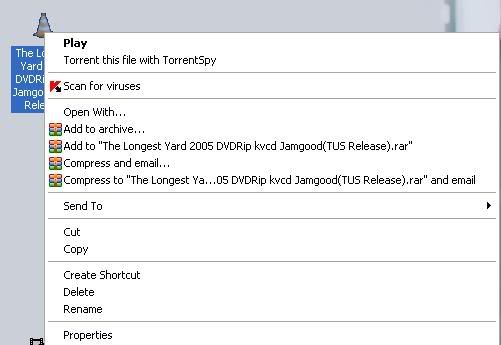
Click the browse button and go to the Ahead folder in your program files
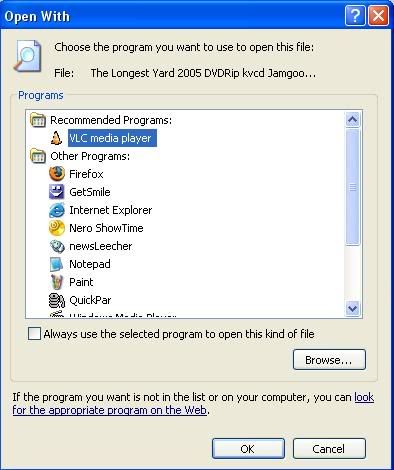
Find your Nero.exe and then click “open” on it
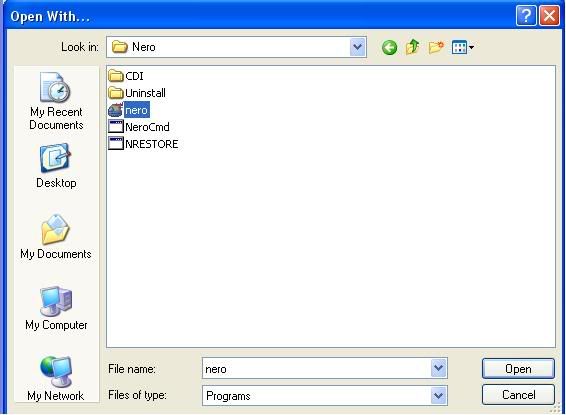
All you have to do after that is pick your burn speed, wasnt that hard now was it
Also in future when your right click on a cue file the option should be there to open it with Nero so you dont have to go through all that painfully long process again
/applications/core/interface/file/attachment.php?id=233" data-fileid=“233” rel=“”>Burning_KvCD_With_Nero_Guide.htm