Please, maybe could you help me… I´m using Windows 7, and I got the last bitcomet version (1.26) when I ckeck the statistic information it shows: “Disk Boost Service: Not Installed”. In the administrative tools, Services “Bitcomet Disk Boost Service” is Started. What could be happen, for the bitcomet statistics information says that is not installed? What sould I do to resolve this?
I could be wrong, because I’m not fully briefed on this but my understanding is you need to have the necessary hardware installed on your computer for this to work. It’s working on my computer which has 1GB of Intel Turbo Ram installed. This is not related to the computers traditional Ram memory, and from what I read on wikipedia you might be able to use other types of flash memory to enable this.
This is a pretty new service, and we don’t have any briefing or much experience with it, but you should have an option, under Advanced settings, to enable it. I wasn’t clear whether you’d done that or not, though it should default to “true”. If not, you could try that.
I think Seven enhanced it quite a bit, but basically it uses flash memory to write commonly used harddrive files to. On my laptop I have a mini-pci express card that contains 1gb of intel turbo ram, but I think even a usb memory device can be used. This makes your harddrive work like a hybrid drive, so it can access those common files without your harddrive needing to run.
This allows windows vista and Seven to use flash memory devices to increase performance of disc drives. It’s a windows feature that is dependent on the software application being written specifically to use it. If you don’t want to use it, then that is fine, but I strongly suggest you disable the option in BitComet, rather then let some obscure security program stop the process (if thats what you’re saying).
Also note that if you have no devices installed for this use, then I don’t know if there is any advantage to having it enabled.
“If you don’t want to use it, then that is fine, but I strongly suggest you disable the option in BitComet, rather then let some obscure security program stop the process (if thats what you’re saying).”
If you are saying that the program he was using is “some obscure security program”, then bite your tongue!
That is a very rude thing to say about one of the FEW free programs in the otherwise rather crappy Windows PC world that always is LOVED and RESPECTED and never, that I’m aware of, gets bad comments from anyone, and that has been around for a VERY LONG TIME. The author is not one of those arrogant pigs trying to sell some crappy software for megabucks, but simply has quality software and a vast and devoted following. Unlike many, he KNOWS what he is doing.
He was one of the very early AOL programmers from way back when noone knew what the internet was.
If that wasn’t what you meant, then I’ll be sure to go back to school next lifetime. I’m many decades beyond that in this carcass.
My point is why enable a process to run then run an unrelated program that you allow to kill the process? It makes no sense.
If you’re insulted because I called “WinPatrol” an obscure program, then look up the definition of that word.
Obscure: not clearly seen or easily distinguished
I wasn’t insulting the person who develops it, or the quality of his work… but I do wonder why it would stop discboost service, but thats up to the developers who make it, and my point is valid, why run a process only to run a second process who you allow to kill the first process… not wise at all.
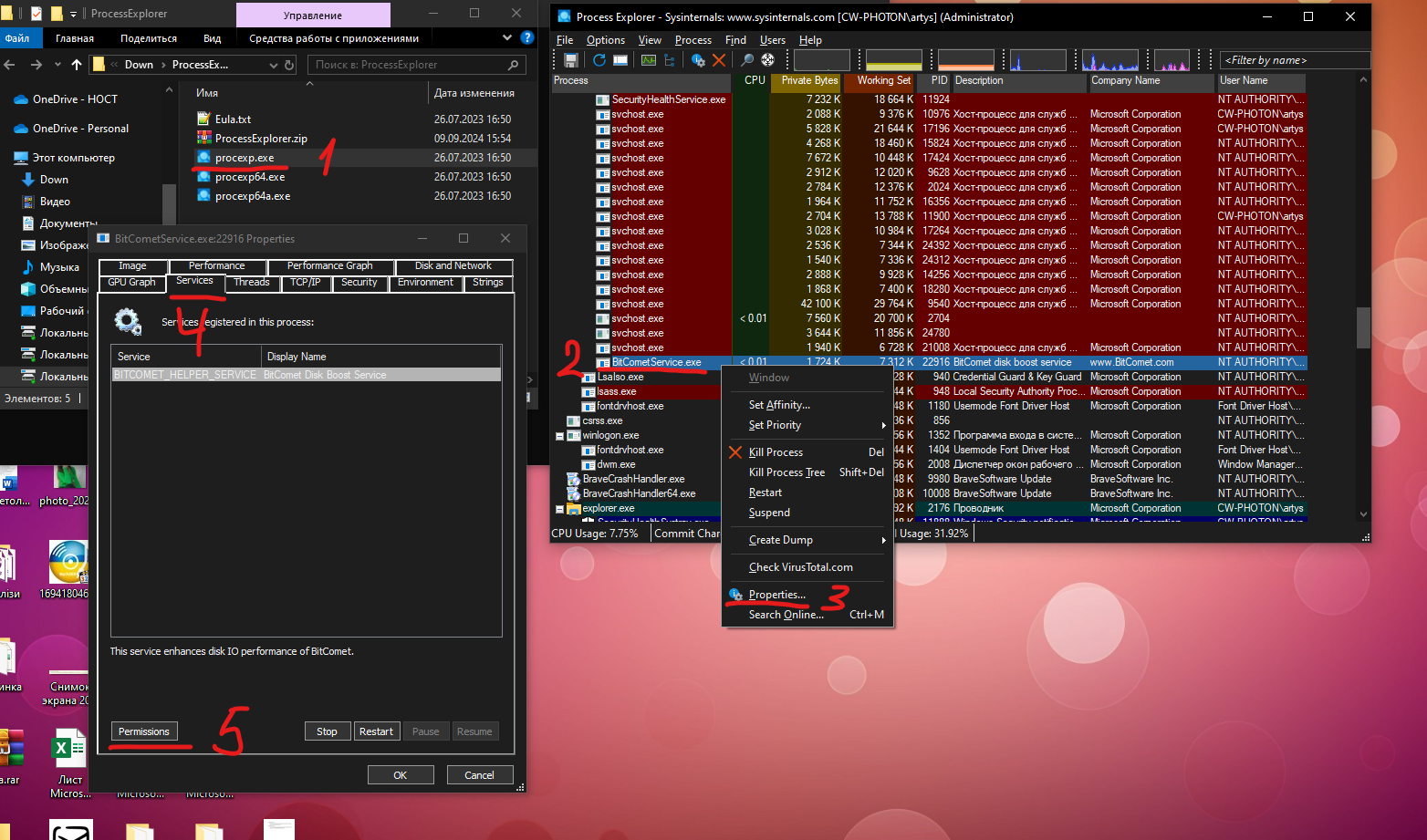
1. Run Process Explorer (download from google)

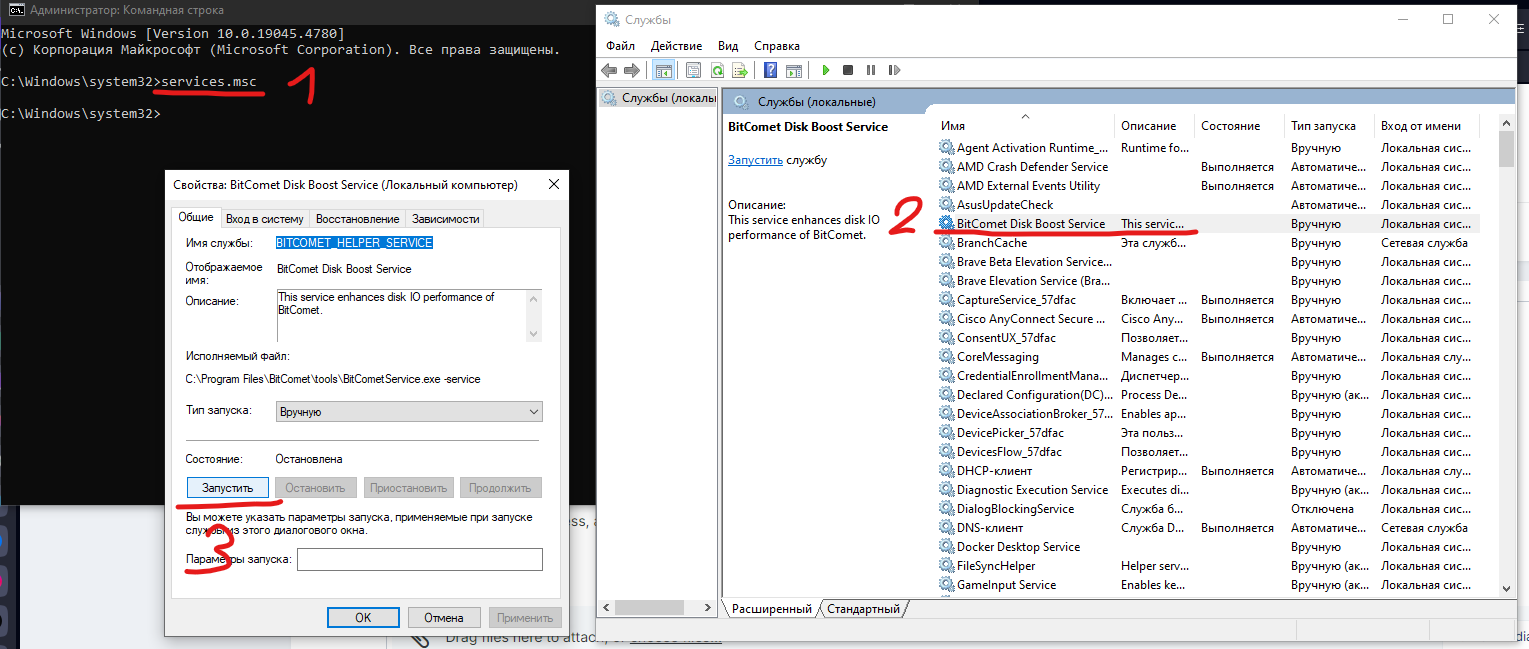
2. Run BitComet DiskService from Windows services.msc

3. Find procrss in resource explorer

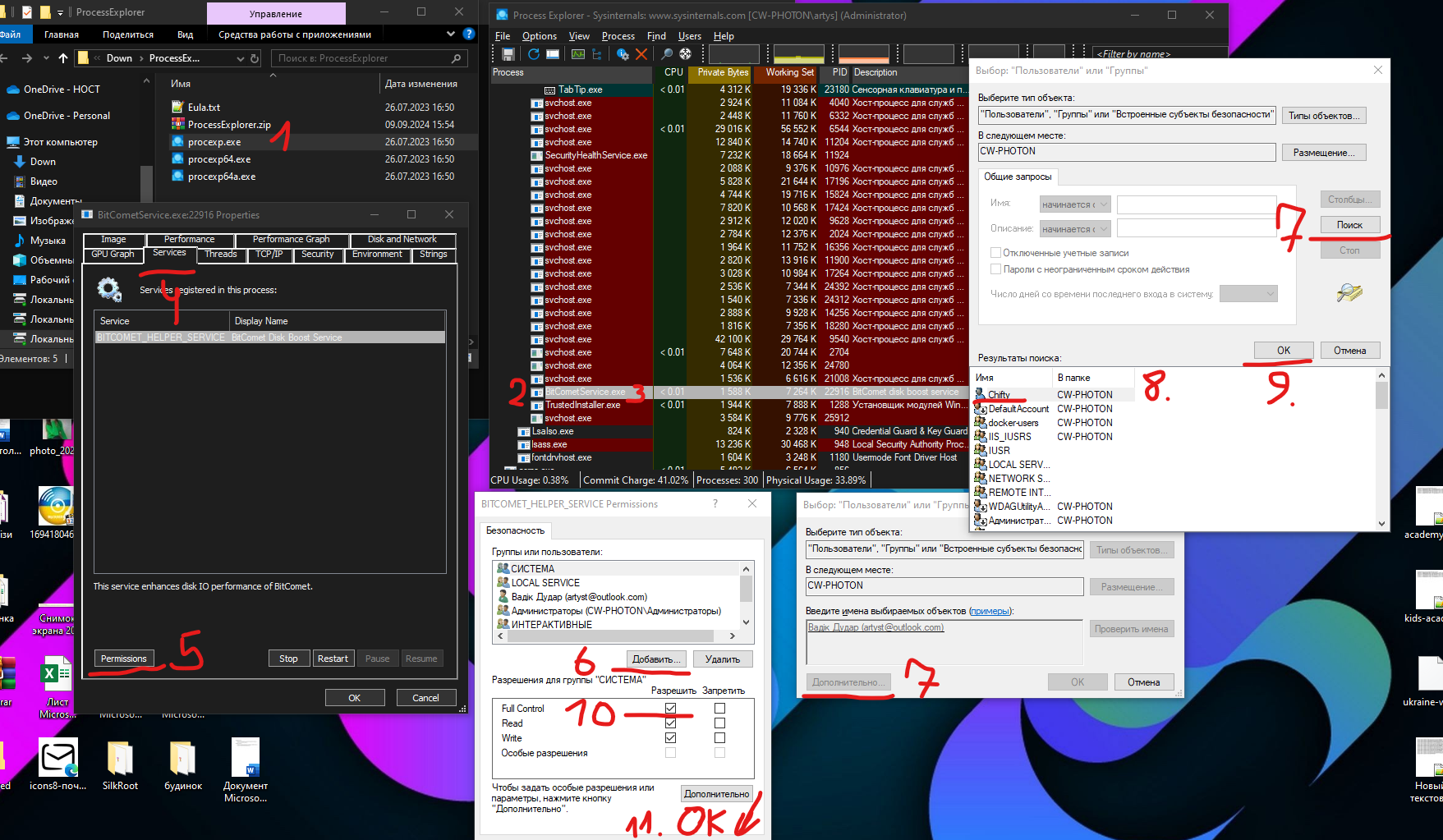
4. Add your user to permissions and set all rights

5. Save. Now, stop process, and reopen BitComet.
I’ll be honest here and admit I’m stumped - I’ve never had it happen to me (and I’ve been round for lots of updatess0. All I can suggest is that you check the advanced settings in BC that ‘system.enable_disk_boost_service’ set to ‘true’ and also your Windows settings to see if there’s anything there that could be blocking it