My listen port is green but there is no number besides it…
and why when i stop all task it still upload?

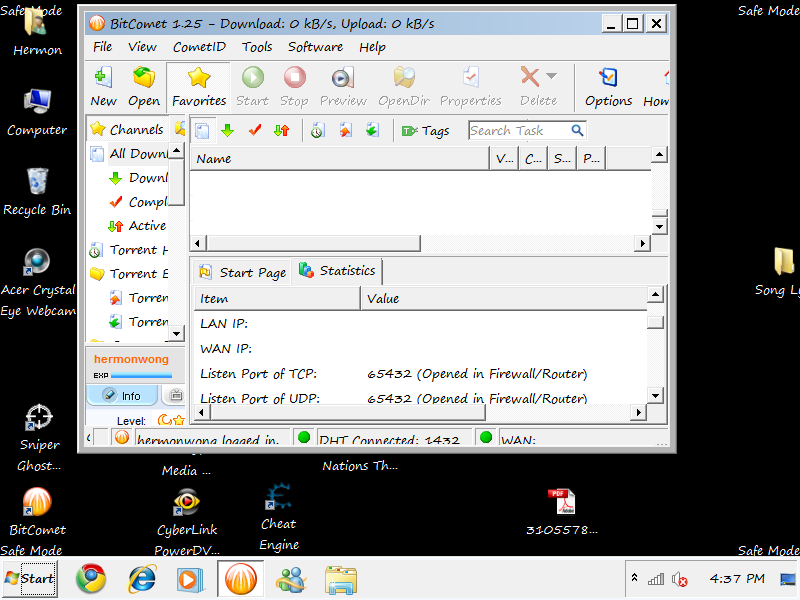

My listen port is green but there is no number besides it…
and why when i stop all task it still upload?
Hi, the uploading is easy to explain. Recent bitcomet versions include a feature called LongTermSeeding. During download process, you can connect to other bitcomet peers and receive data from them using this protocol, then when your task is stopped, AND you have available unused upload bandwidth, the stopped tasks will continue to upload to other peers.
This feature is completely optional and your welcome to disable it, but most users find it greatly increases their download speed.You also have the ability to limit the bandwidth it uses, although it shouldn’t use any if other tasks require it.
As for your green light. I suggest you provide the info requested in the “READ THIS before posting” topic. You can find links to it all through our forum, and in my signature.
Also please provide a screenshot of your bitcomet. We have a guide for making and posting screenshots if you need it, its in the guides and tutorials section.
ok. I tell you after 28 cause I’m quite busy.
v. 1.25
1M adsl
Modem and router combo, Innacomm W3400V Wireless Modem. Yes.
Also, if you have more than one computer make sure to mention in this case, to which router is every one of them connected.
none.
Windows 7 Home Premium 64-bit. Windows firewall. Microsoft Security Essentials.
none.
none.
/monthly_12_2010/post-59738-12934420252087.png" rel=“”>
Hi,
Can you tell me if this is a new problem that started with install of most recent version? or did the problem exist prior to installing 1.25.
Also, as a test can you please restart windows in “safe mode” and run bitcomet. This will disable all windows schemes and custom settings and if your wan IP address appears then, that will give us an idea of where to look for the problem.
http://windows.microsoft.com/en-US/windows7/Start-your-computer-in-safe-mode
Can you tell me if this is a new problem that started with install of most recent version? or did the problem exist prior to installing 1.25.
I’m not sure. This my first time fixing my listen port. The problem is still there even though I connect to other internet access.
Also, as a test can you please restart windows in “safe mode” and run bitcomet. This will disable all windows schemes and custom settings and if your wan IP address appears then, that will give us an idea of where to look for the problem.
/monthly_12_2010/post-59738-12935261397302.png" rel=“”>
Ok, lets try a previous version of bitcomet and see if the issue persists. Its not necessary to install the previous version/s if you don’t want to, you can get the .zip version/s from our archives, then simply extract the file and run bitcomet. Make sure you fully close your existing version before trying this.
whether or not this identifies the problem, I’m going to want the rest of our staff to look into this and we may end up referring this to development, because I’ve never seen this issue before, but perhaps one of the other team members has.
Click the link “Download all versions of BitComet here” in my signature, then select one or more of the previous versions to test. Your welcome to install them if you like, but the .zip versions will save you time being this is only a test.
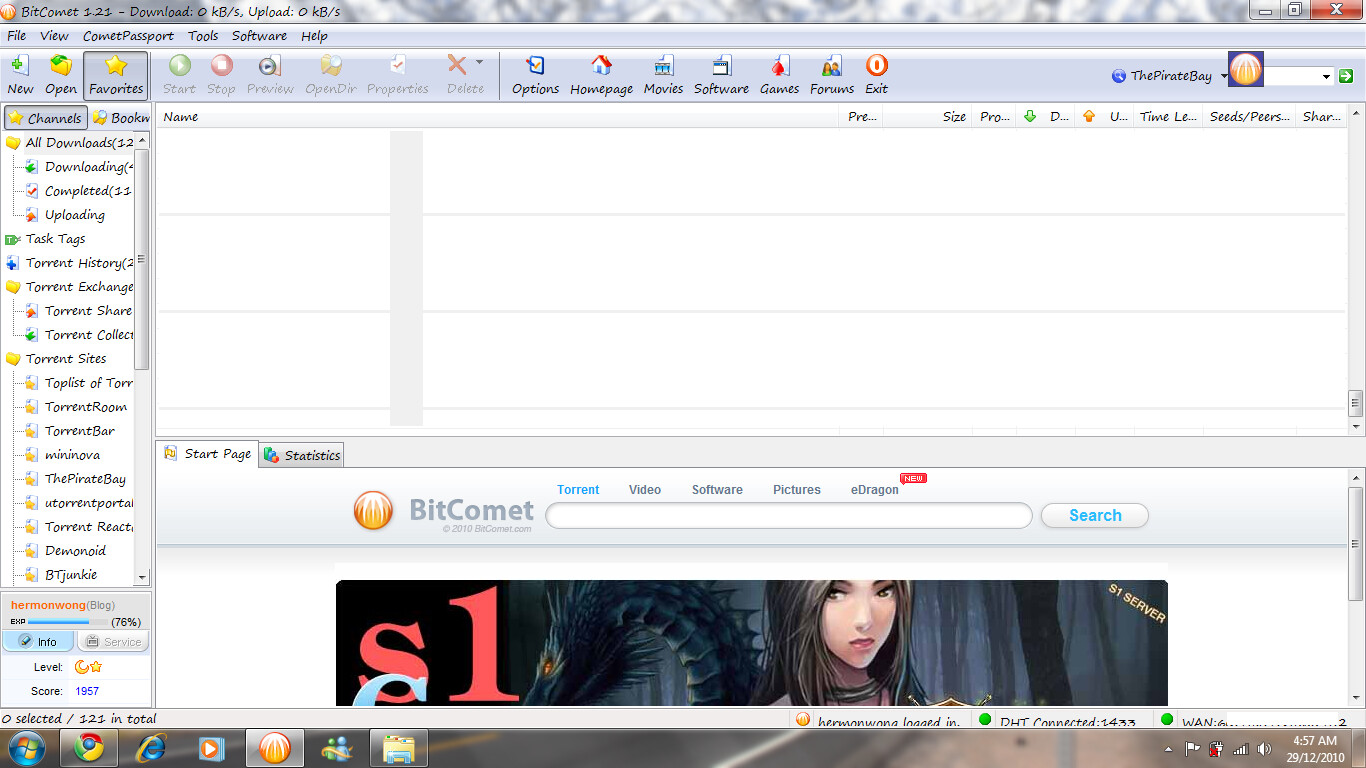
I used 1.21 Version of bitcomet adn it worked.
I guess its the new version thats the problem adn needs some repairs. :rolleyes:
/monthly_12_2010/post-59738-12935703983272.png" rel=“”>
Wait a minute. I re-installed the 1.25 again cause i feel out-dated.
And here it worked. I’m confused now. I click check again and again and it really worked.
I guess theres no problem with the new software after all.
/monthly_12_2010/post-59738-12935702790047.png" rel=“”>
Try uninstalling, then delete the install folder. By default this will be located at…
c:\program files\bitcomet
for 64 bit windows version it will be…
c:\program files(x86)\bitcomet
Then reinstall the latest version.
This will delete all your settings and configurations, so make a copy of any that you want to restore after reinstalling. This will hopefully fix both problems with missing numbers