I had a problem with my seeds disappearing once too, turned out to be rabbits in my garden, the little buggers were eating them as fast as I could plant them. I ended up going to Herz rent-a-cat and the problem was resolved almost instantly. 
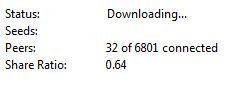
However, I get the feeling your problem might be more involved, but first, can you see the seed/peers properly in your task column? It should display them like this 0/0 [0/0], which means, (connected) seeds/peers (total) [seeds/peers]
If they don’t display in your column either, then something is corrupt and you should probably do a clean install after uninstalling and deleting your installation folder and your bitcomet folder in your “appdata” folder. Doing this will delete all your tasks (not your downloaded files), so you would need to backup any current tasks beforehand, or you can just restart the torrents and they will continue from their current level.
As for your performance problem, keep in mind that your performance depends on the availability of the pieces you need, so some torrents will be slow no matter what you do, but in order to get the maximum performance, you need to properly setup bitcomet. Since you were through in providing the requested info, I can tell you a good place to start would be your global max upload speed limit. You want to upload as much as possible, but you don’t want to upload so much data that you become unable to reply to connections/requests from other peers. If this happens, the better peers will assume you have nothing to offer them and you will be ignored, so the idea is to find a limit that will allow as much upload as possible and leave enough bandwidth available for timely communications. For most users the best setting is about 80%.
Here are the calculations.
Your tested upload speed is 0.86megabits per second, or 860kilobits per second. We need to convert that from bits to Bytes, so 860kb/s would equal about 108kB/s. That is the fastest your connection can upload under ideal conditions. 80% of that would be about 86kB/s, which is a good place to start for your global max upload rate limit.
You can try adjusting it up a bit when nothing else is using your internet, or down if it interferes with your internet usage. There is no perfect percentage for everyone. A lot of factors can effect your performance, so some users might work best at 90%, and others at 70%, you need to find what works best for you.
Don’t make quick changes though. Pick a setting and use it for a few hours/days/weeks and whenever you make a change, don’t be quick to judge if it helped or hurt, only long-term observation can tell you the effects of a change.