hello im new to this forum, I have been using BitComet for a long time now and i just started creating torrents. The problem is i created the torrent, uploaded it to TPB and i am actively seeding it but the upload rate has been at 0kb forever and i see peers trying to connect but not sucessfully, any help
Heres my sys info
BitComet v1.36 X64-Bit
Windows 8 Pro X64
TalkTalk Fibre Optic 76MB
Internet Setup
Phone Line
BT Openreach Fibre Modem HG612
Hauwei HG533 Router
Laptop - on wireless
Samsung NP300V5A
No firewall or anti-virus
I use Windows 8 built in firewall features and Windows Defender
The torrent i made using BitComet 1.36 in question
http://thepiratebay.sx/torrent/8750269
Speed Test.net Results

If you require the information displayed in BitComet, can you tell me how to copy this if required
Thankyou all for any help, i just want to contribute back instead of just downloading
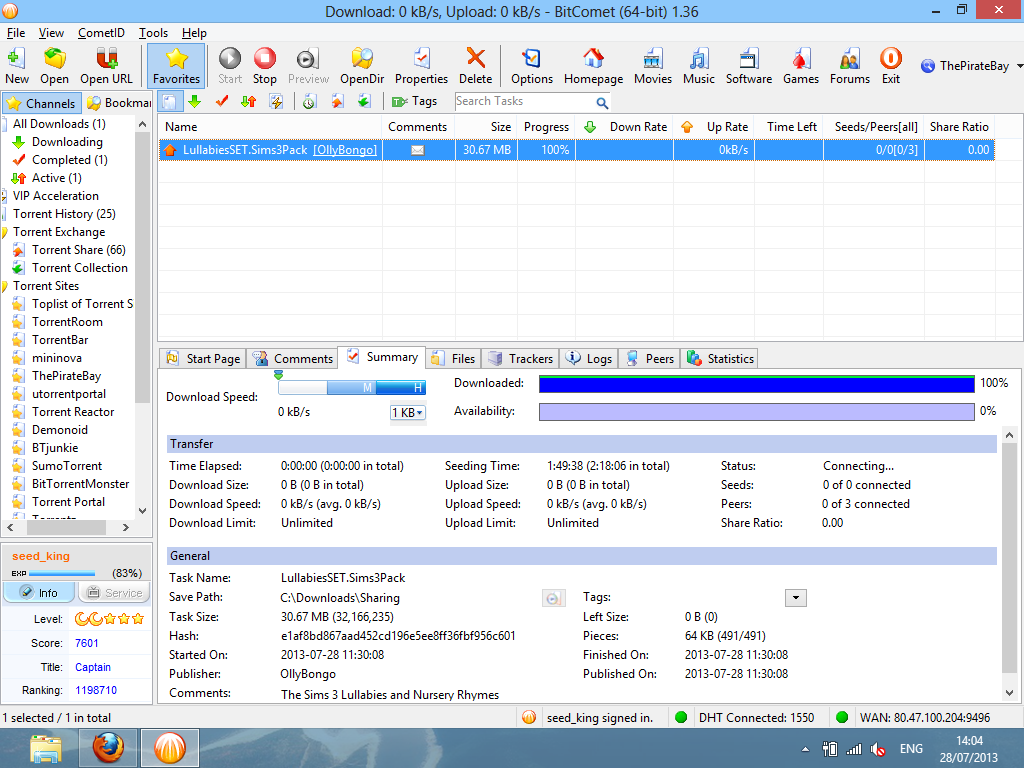
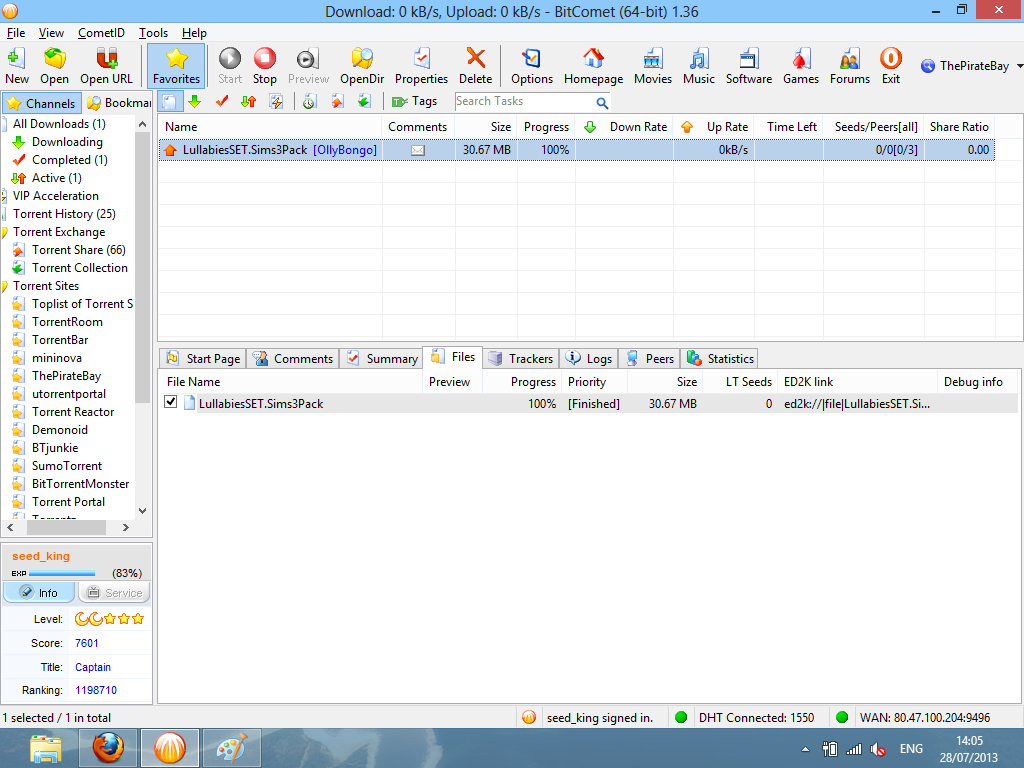
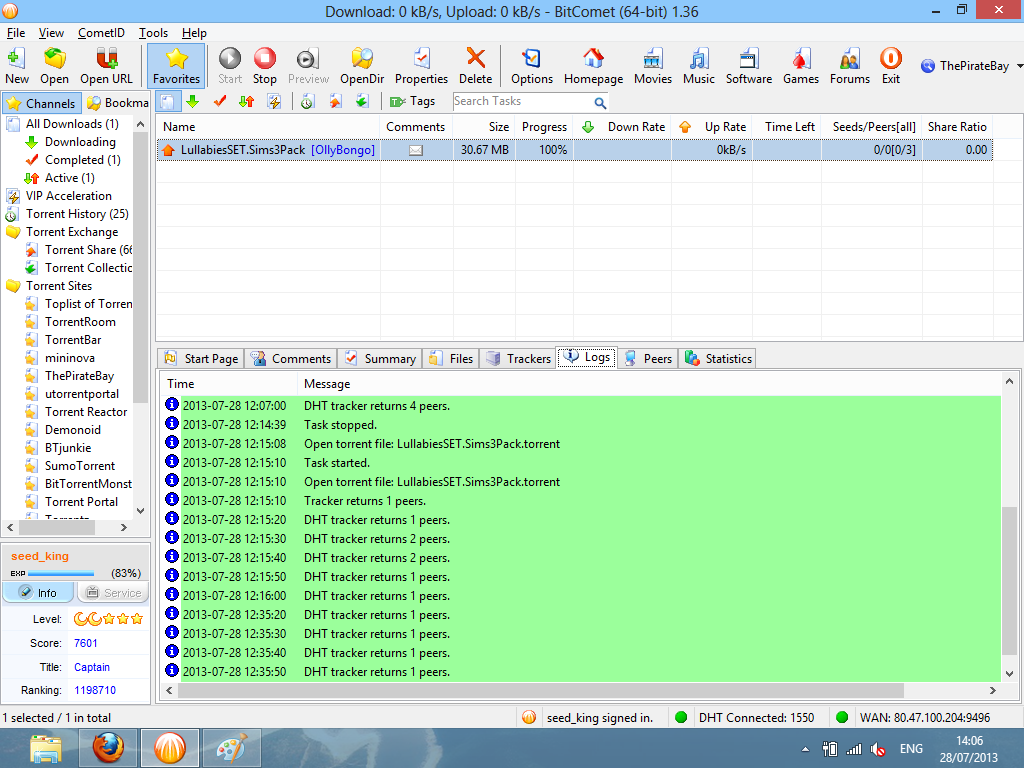
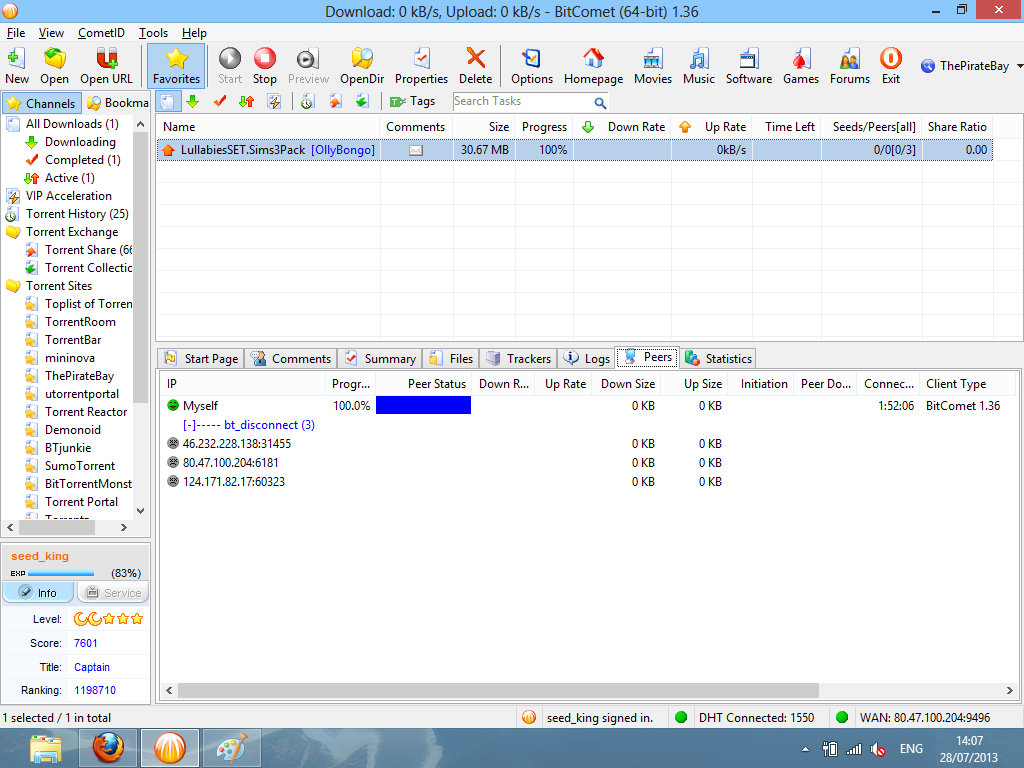
P.S i added screenshots of BitComet running so you can see
/monthly_07_2013/post-128168-0-80070800-1375016941.png" rel=“”>
/monthly_07_2013/post-128168-0-01420600-1375016943.png" rel=“”>
/monthly_07_2013/post-128168-0-83189800-1375016943.png" rel=“”>
/monthly_07_2013/post-128168-0-41853400-1375016944.png" rel=“”>
/monthly_07_2013/post-128168-0-04482000-1375016945.png" rel=“”>
/monthly_07_2013/post-128168-0-76217500-1375016945.png" rel=“”>


WoW, you first posted this only a couple hours ago and you’re already being rude and insulting because you didn’t get an answer yet. You have some sense of entitlement, especially for a free program supported by volunteers.
I was going to try your torrent and do some testing and try to figure out what is wrong, but I’m not inclined to spend my valuable time helping someone so ungrateful, and I don’t think you would be willing to help me either if I was so rude about it.
In case you didn’t realize this is a community support forum, it’s bitcomet users like you who help people, this is how freeware is supported and generally when someone is this rude, they get banned from these support forum which is what will happen next if you continue.
I’ve been running this forum as a volunteer for over seven years and I can count the number of members who were so rude on one hand, and never have I seen someone so impatient after only two hours. Generally we try to help everyone within 24hours, if you want immediate help go find a geek at your local university and hire him, diagnosing any bittorrent client isn’t rocketscience and geeks need to eat too.
When I first read this, I was going to close your topic and issue you a warning, but I’ll be nice and leave the topic up, I may even reconsider and look into the problem myself, but I think an apology is in order, not necessarily to myself, but the entire community you’re asking for help then insulting.
My first thought was to ban this guy, but I decided to give him a warning for rude behavior and being impatient. I also put him on moderator review for 4hrs. If he replies with more vial insults, just ban him, if he is polite you can approve his posts and try to help him.
edit: he apologized and deleted the offensive posts. I wish I would have kept a copy of them.
I used to have the “trash” forum setup to capture all deleted posts, but unfurtunately someone changed that so we don’t have any way to review deleted posts.
ps. I did try your torrent and it’s showing no seeders. I’m also unable to establish a connection with you. I suspect this might be interference from your isp (talktalk) who is known to be hostile to p2p. It’s also possible you have something on your system or router that is blocking udp connections, I see your trackers tab is showing no connection.
It also appears you may have LTseed option disabled, it would be interesting to see if the torrent would work using LTseed protocol, it wouldn’t be recognized as bittorrent and may not be blocked.
ps. I did try your torrent and it’s showing no seeders. I’m also unable to establish a connection with you. I suspect this might be interference from your isp (talktalk) who is known to be hostile to p2p. It’s also possible you have something on your system or router that is blocking udp connections, I see your trackers tab is showing no connection.
It also appears you may have LTseed option disabled, it would be interesting to see if the torrent would work using LTseed protocol, it wouldn’t be recognized as bittorrent and may not be blocked.
Thats because i closed BitComet, sorry i have started it back up now and my torrent task is now running, can you try it again please
I am able to connect to you, but it’s showing you as a peer with 0% so nothing is downloading. Try enabling LongTerm seeding, I’m curious to see if it will work.
I’d also like you to try stopping the torrent and doing a manual hash check to verify the data is intact.
I am able to connect to you, but it’s showing you as a peer with 0% so nothing is downloading. Try enabling LongTerm seeding, I’m curious to see if it will work.
I’d also like you to try stopping the torrent and doing a manual hash check to verify the data is intact.
I can confirm that LT seed is on i right clicked the torrent in the list on bitcomet and went properties and selected the LT seed tick box was already on… what i just did was right click the torrent task in bitcomet and selected “update tracker” the list updated
it looks like this now
i had to send the screenshot in a pm it didnt work here, did you get it
edit by staff: no screenshot was in the PM. Please try hosting the screenshots on a site like photobucket or similar
edit 2: I added one of the screenshots from your photobucket here using this code…
[img=http://i1332.photobucket.com/albums/w611/Olly_Wright/screenshot3_zps3182ab49.png]

I don’t think this is the problem, but it’s usually a good idea to use one of the unassigned ports from the range 49152 to 65535. When you change your port it may be necessary to restart bitcomet for the new port to be opened in your uPnP router.
ok my current port is 9496 i will change it to49152 and restart, also i could not do a manual hash check is that because the task is running
If you have Initial seed (superseed) option enabled on this torrent, please disable it. This option will slow down the transfer of data, it’s only purpose is to reduce bandwidth used by trying to avoid sending out the same piece to more than one member, instead relying on other members to share the pieces you send. Definitely not something you want for such a small torrent or if you’re trying to share as much as possible.
ps. you’re now showing 0.2% complete, which would be expected if you’re using superseed option.
, also i could not do a manual hash check is that because the task is running
Yes, this is why I asked you to stop the task first.
Your torrent is working now. I suspect the problem was related to the use of Initial seed (superseed). This is a feature developed by another client and it’s only useful for users who make a lot of torrents and want to get them seeded with as little upload as possible. It’s a slower process because it hides the fact that you have 100% and you only release pieces a few at a time. Many release groups use this method and like it because they can upload a new release and get other seeders present in the swarm after uploading only about 115% of the total torrent size, with traditional seeding it could take you 200% or more to get other peers to 100%. Traditional seeding gives data freely where superseeding only gives it freely to a peer after the first pieces given have been verified to be active in the swarm, proving that the peer is a good sharer. This can take time and is never as efficient as traditional seeding even on a torrent with hundreds of peers, on a torrent with few peers it can be a complete disaster.
but there is 0 out of 0 downloading how is it working my latest screenshot below


it looks like only you managed to download my torrent as the only ip address on my peer list on the screenshot above is the only one downloaded i think, have a look dude
I see in the screenshot that I added to your post above that you do have LTseed enabled on this task, but also make sure you have it enabled in your global options. I’m not seeing any LTseed peers listed so it’s possible this option is disabled. When using LTseed it will allow you to trade outside the bittorrent swarm. This can be very helpful in some circumstances, but be aware that your tasks will continue to upload when stopped, but only if there is unused bandwidth available.
these are my global settings for LT

If you look at your tracker data there is only two peers, you and me. Don’t pay much attention to dht data, it’s often inaccurate because much of the connections are just to spread the hash table, not necessarily peers interested in downloading.
See if you can find another person to test your torrent, I think you’ll find it’s working, it just needs peers to download it.
Also, when you upload a torrent to a website, you should then download it from that website and start the torrent you downloaded because they usually add their own trackers to it. With the piratebay it really doesn’t matter because they don’t operate a tracker anymore, but they do add a couple trackers that aren’t listed in your screenshot.
If you had uploaded to a website that does operate a tracker this would be required.
so your saying bitcomet is ok and i set the torrent up properly and i am seeding and you downloaded my torrent and your also seeding but no one els is downloading my torrent from TPB because 1 its a new torrent and 2 will it pick up slowly if i leave bitcomet on constantly running the torrent task