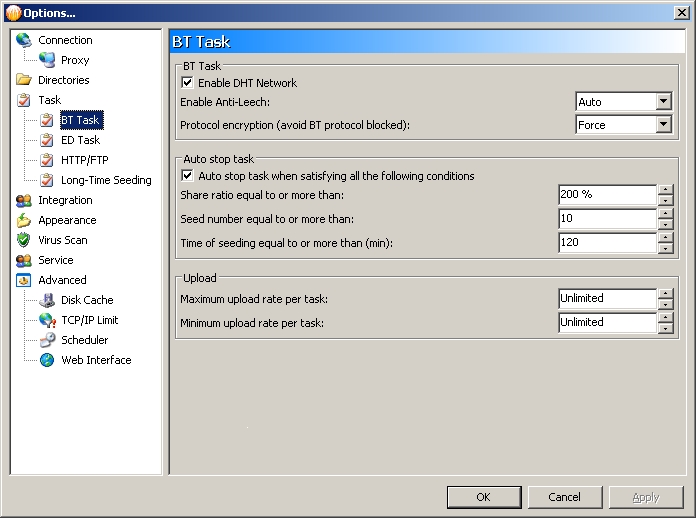
Hi all, I have a weird problem in that after upgrading from v1.10 to v1.14 on my laptop (running Windows XP), I can no longer see “Torrent Share” folder and “Torrent Collection” in the Channel tab. I’ve attached a couple of screenshots which show what I see.
The first shows the channel tab.
/monthly_08_2009/post-53926-125062441079.jpg" rel=“”>
The second, shows that the option for enabling torrent share is missing from the options menu. /monthly_08_2009/post-53926-125062442146.jpg" rel=“”>
I’ve looked at the help selection and the screenshots there showed BitComet 1.14 still having those options in the BT Task option menu, but for some reason is missing in the one I installed. I’ve also looked at the change log but could not find anything that might have indicated a change on these.
One thing to note is that when I right clicked on Torrent archive, it does show a menu for Enable Torrent Share and the limit to how many torrents to show.